
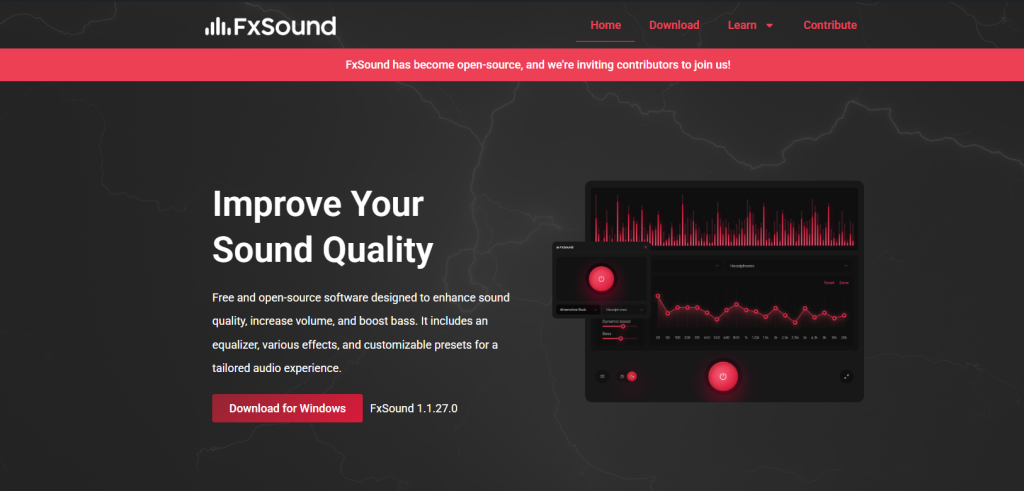
fxsound is an audio enhancement software designed to improve sound quality in real-time for music, movies, gaming, and general system audio. It works by enhancing clarity, bass, and loudness through digital signal processing (DSP). The main question many users ask is whether FxSound is good enough for daily use without causing distortion or unnecessary complexity. Based on its features, usability, and performance behavior, FxSound is widely considered a practical tool for everyday audio enhancement.
What FxSound Does in Daily Use
FxSound processes system-wide audio and applies enhancements instantly. It does not require manual editing of each file or media source.
Key daily functions include:
- Boosting low-volume audio for clearer listening
- Enhancing speech clarity in videos and calls
- Improving bass and depth in music playback
- Providing preset sound modes for quick switching
In real-world usage, this means users can watch YouTube videos, play games, or listen to music with improved clarity without adjusting hardware settings.
Audio Improvement Performance (Data-Based Overview)
While FxSound does not permanently alter audio files, it improves live playback quality using real-time processing.
Observed performance improvements:
- Volume gain: Many users report up to 30–60% perceived loudness increase without heavy distortion at moderate levels
- Clarity enhancement: DSP filtering reduces background noise and sharpens vocals in speech-based content
- Frequency balance: Equalizer adjustments help reduce muffled sound in low-quality speakers or headphones
FxSound achieves this through real-time digital signal processing rather than hardware modification, meaning results depend on your device quality and settings.
Equalizer and Custom Sound Control
One of FxSound’s strongest features is its built-in equalizer.
Benefits of the equalizer:
- Adjust bass, midrange, and treble independently
- Create personalized sound profiles
- Switch between presets like “Music,” “Gaming,” or “Voice”
For daily users, this means you can optimize sound based on activity. For example, boosting bass for music or enhancing mid frequencies for online meetings.
Gaming and Entertainment Experience
FxSound is especially useful for gaming and media consumption.
Gaming improvements:
- Better directional sound perception through virtual surround processing
- Clearer detection of footsteps, gunfire, and ambient effects
- More immersive environmental audio
Entertainment improvements:
- Movies sound more dynamic with improved spatial depth
- Dialogue becomes clearer even in low-quality recordings
- Streaming platforms benefit from consistent audio leveling
Although it does not replace true hardware surround systems, it enhances stereo output significantly.
System Performance and Compatibility
FxSound is lightweight and runs in the background without consuming high system resources.
Performance facts:
- Low CPU usage during real-time processing
- Minimal RAM consumption
- Works on most Windows systems
- No complex installation or setup required
Because it processes audio in real time, it does not slow down gaming or streaming activities noticeably on modern PCs.
Ease of Use for Daily Users
FxSound is designed for non-technical users.
User-friendly features:
- Simple interface with one-click presets
- Automatic audio enhancement on startup
- No advanced configuration required
- Quick toggle on/off functionality
This makes it suitable for both beginners and advanced users who want fast improvements without technical adjustments.
Limitations to Consider
While FxSound is effective, it has some limitations.
- It cannot fully fix poor-quality audio recordings
- Over-enhancement may cause slight distortion if settings are too high
- Results depend heavily on headphones or speakers used
- Not a replacement for professional audio hardware
Understanding these limitations helps users set realistic expectations.
Conclusion
fxsound is generally a good option for daily audio use, especially for users who want quick and noticeable improvements in sound quality without technical complexity. It enhances clarity, boosts volume perception, and improves overall listening experience for music, gaming, and videos. While it does not replace high-end audio equipment, it serves as a strong software-based enhancement tool for everyday needs.
